
One product Shopify theme
a Shopify theme for stores that sell one product
Most Shopify themes are built for catalogues: collection grids, filters, mega menus. A one-product store sells differently. It has to show one thing well, explain it, answer the doubts and keep the buy button close. Shippo is a theme made for that, by Kamiwaza Studio.

Who it is for
a good fit if
- You sell one main product, or a small range built around it.
- You sell the same product in sets, for example Single, Duo and Trio.
- Your product needs explaining: how to use it, what is in the box, how it compares with the alternatives.
- You want the store to look like your brand and you would rather not pay a monthly fee for the theme.
Look elsewhere if you need
- Large catalogues where customers browse many collections and filters.
- Subscription products (Shopify selling plans are not supported).
- Products with complex options or personalisation apps. Write to us before buying and we will tell you if it fits.
How the store reads
from the first photo to the cart
A one-product store works like a short story. These are the parts of it in Shippo, in the order a customer meets them. Every part is a section you can move or remove.
Start with the product
A two-photo hero with a heading and one button. The first screen shows what you sell, without a grid of collections in the way.
Show the sets
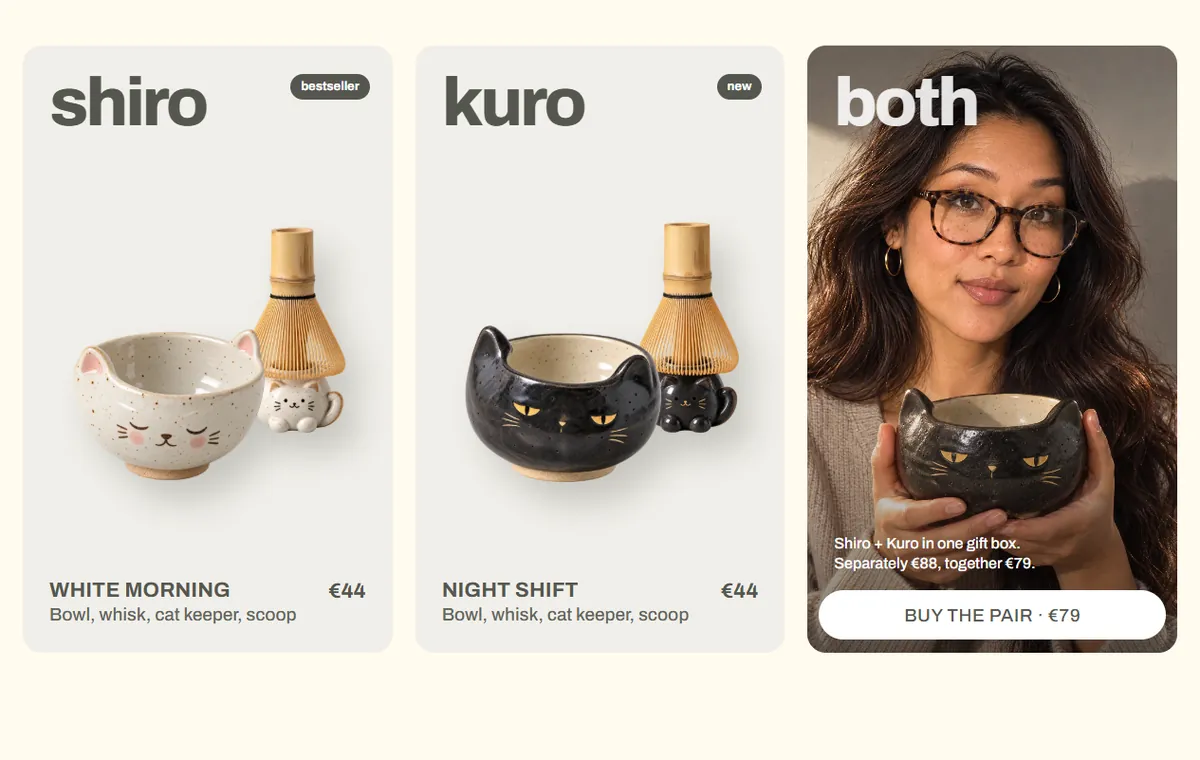
Product cards for your product and its sets. On the product page, an option such as Single, Duo or Trio shows as cards with the price of each. They are variants of one product, so no bundle app is needed.
Explain what they get
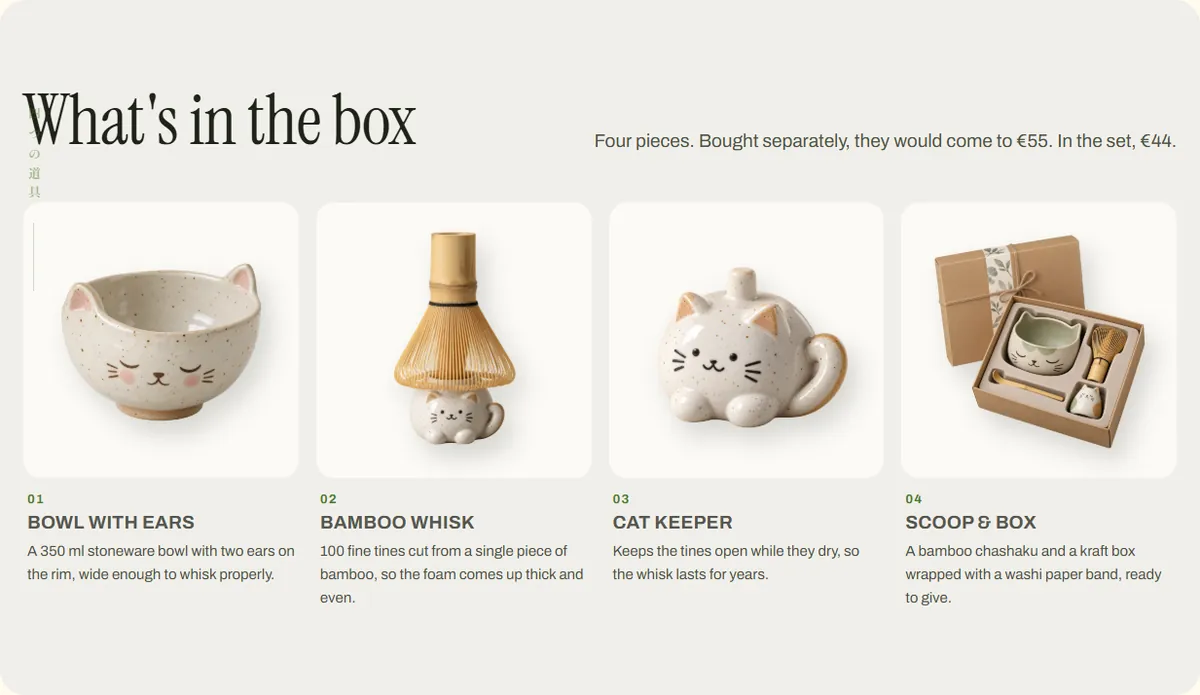
What's in the box, ways to use the product and a founder's letter. Each block has its own photo and text.
Answer the last questions
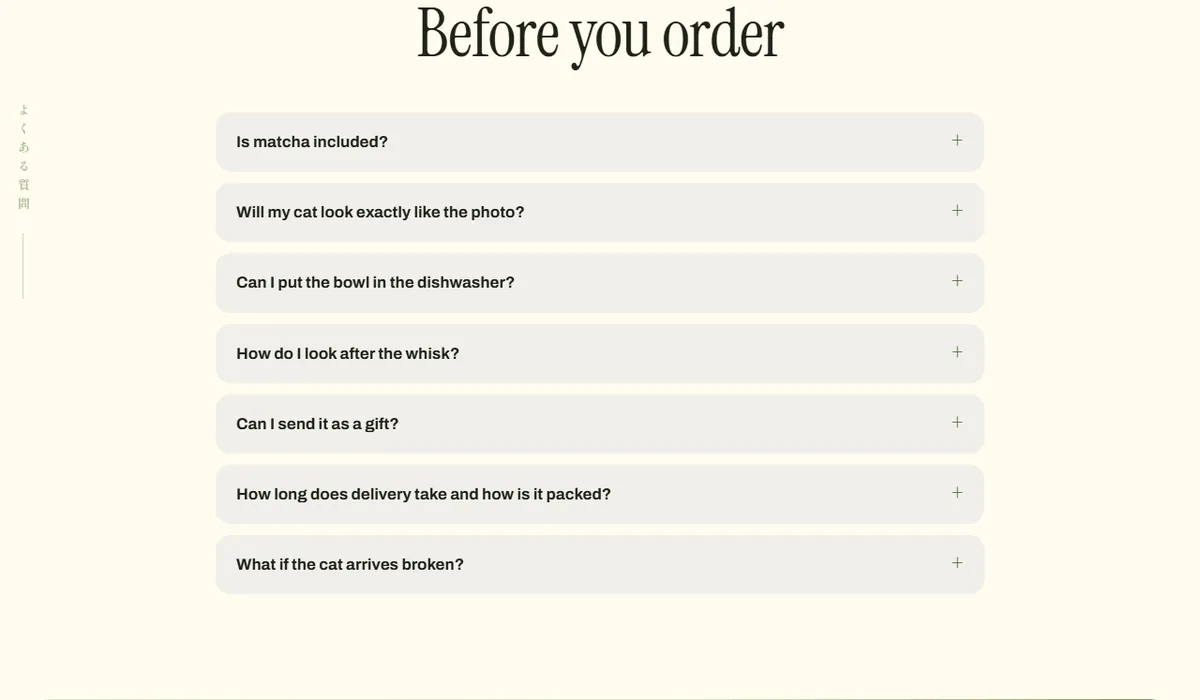
A FAQ that opens and closes, a comparison table and a trust bar, placed where the customer is about to decide.
Made to be edited
all in the Shopify theme editor
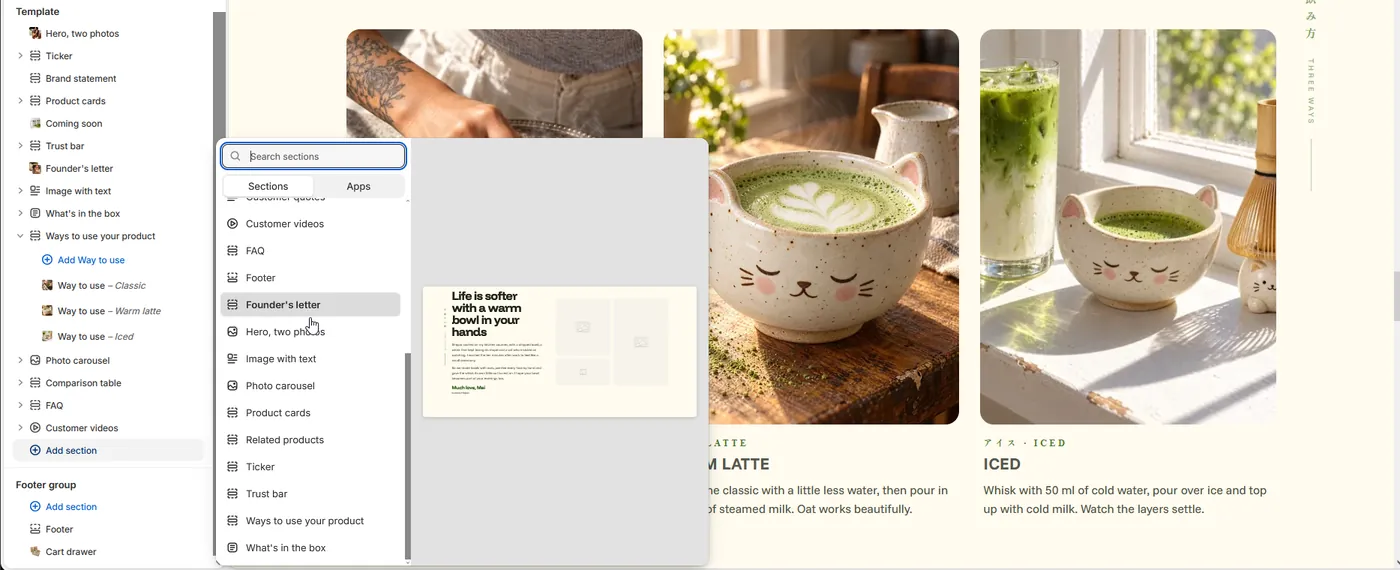
Shippo has 20 content sections you can add from the Add section menu. Each one has its own settings, and blocks inside a section, like the ways to use your product, can be added and reordered.
Add, move, remove
The home page of the demo in the editor. The section list is on the left, the Add section menu shows a preview of each section before you add it.
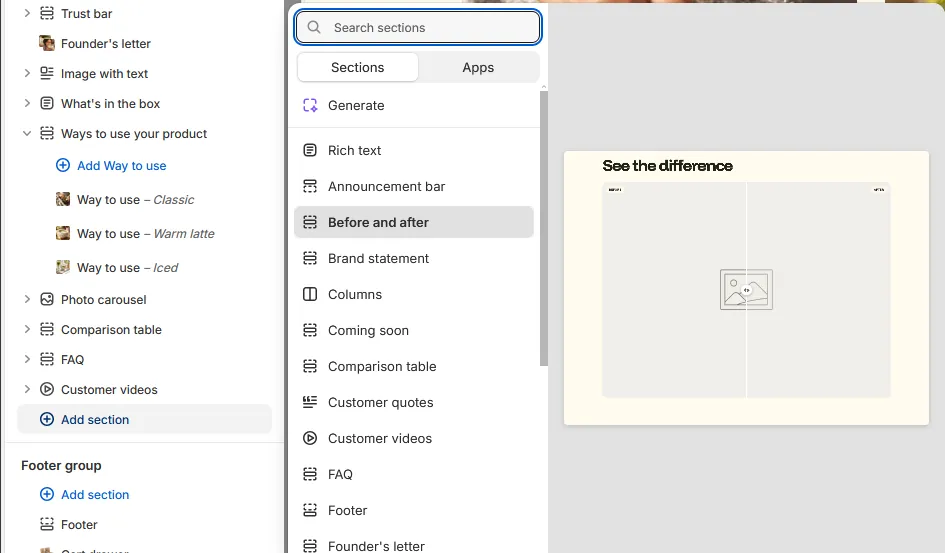
Sections with a preview
Before and after, comparison table, coming soon, customer quotes and videos, founder's letter and more. Pick one, then fill in your photos and text.
Built in
no apps needed for these
Bundle cards
Single, Duo or Trio as cards with the price of each option, made from variants of one product.
Slide-in cart
The cart opens from the side, with product suggestions and an optional free-shipping bar.
Sticky add to cart
A slim bar with the product name, price and button follows the customer down the product page.
Comparison table
Your product next to the alternatives, column by column, with a highlighted column.
Before and after slider
Two photos with labels. Use it only where it is accurate and allowed for your product.
Coming soon teaser
A section for the next product, with an image and a sign-up, before it launches.
FAQ
questions
Is Shippo based on Dawn?
No. Shippo is its own theme, written from scratch for one-product stores. It does not reuse Dawn's code or layouts.
Can I sell more than one product?
Yes. Shippo has collection, search and cart pages, so you can add more products. It is designed for one main product or a small range, and a large catalogue will be easier to browse in a broader theme.
Do I need an app for bundles?
No. The sets on the product page are variants of one product that you create and price in Shopify. The theme does not combine separate products or synchronise their inventory.
Is Shippo in the Shopify Theme Store?
No. Shippo is sold directly by Kamiwaza Studio. You download a ZIP file and upload it in Shopify under Online Store, Themes. The install guide in the package walks through it.
How much does it cost?
€149 once, for one store. Prices are shown in EUR, USD, GBP or AUD based on your location. Feature updates are included for 12 months. Your Shopify plan and any paid apps are separate.
Can I try it first?
Yes. The design demo shows every section, and the demo Shopify store lets you add to cart and open the checkout. The store password is bairte.
one product, one theme
€149 once, a license for one store and 12 months of feature updates. Click around the demo first, then buy on the Shippo page.